 Multi
Multi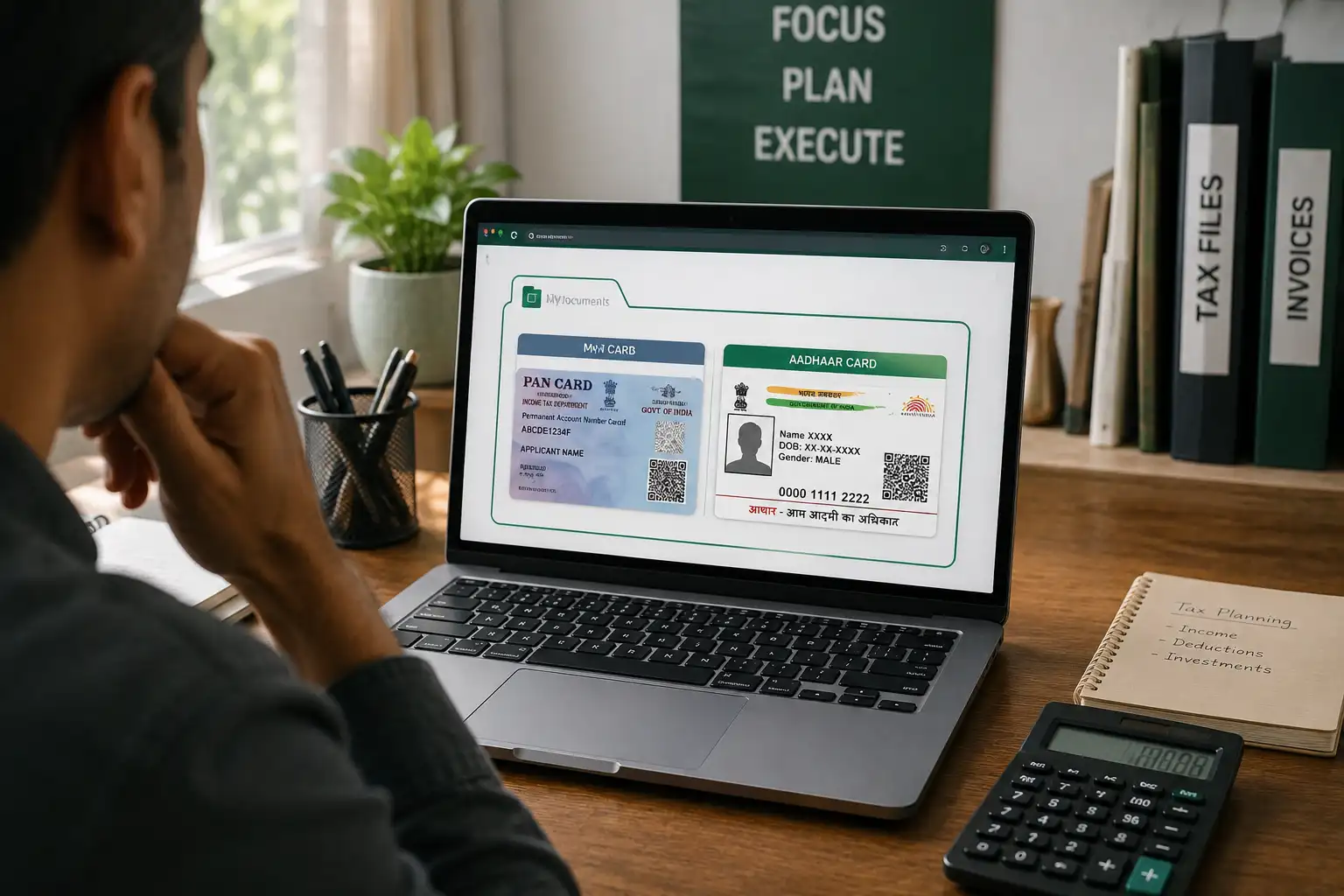
Are Online PDF Converters Safe? Why "Client-Side Processing" Protects Your PAN Card
We have all been in this exact situation. It is tax season, or maybe you are applying for a new home loan, or trying to register for GST. Your Chartered Accountant (CA) calls you and says, "Please send me your PAN card, Aadhaar card, and your last six months' bank statements in one single PDF file."
You have all the files on your computer, but they are separate. So, what is the first thing you do? You open Google, type "merge PDF online free," and click on the very first link that pops up. You drag your highly sensitive financial documents into the box, click convert, download the merged file, and send it to your CA.
It takes two minutes, and your job is done. But have you ever stopped to think: Where did those files actually go?
The Hidden Danger of Cloud-Based PDF Tools
Most people don't realy understand how traditional online PDF tools work. When you use 90% of the free PDF mergers or compressors on the internet, you are not just editing the file on your screen. You are actually physically uploading your private documents to a remote computer server located somewhere else in the world.
Think about what is inside those documents. Your PAN card has your permanent account number and date of birth. Your Aadhaar has your biometric link. Your bank statements show exactly how much money you have, where you spend it, and your full account numbers. This is a goldmine for identity thieves and scammers.
When you hit that "Upload" button on a random free website, your sensitive data leaves your computer and travels through the internet to a server that might be in Russia, China, or the US. You are trusting a completely unknown website with your most importent life documents.
Even if the website says "We delete your files after 1 hour," how can you definetly prove that? You can't. If their server gets hacked during that one hour, or if the website owners are secretly selling data to third-party marketing agencies, your private financial life is compromised. I see so many people doing this every day without realizing the massive risk they are taking.
What is "Client-Side Processing"? (The Safe Solution)
So, how do you merge or compress your PDF files without putting your identity at risk? The answer is a modern web technology called Client-Side Processing.
Let me explain this in very simple terms, without any heavy tecnical jargon.
Imagine you have a secret recipe, and you need it translated into another language. The old way (Cloud Servers) is like mailing your secret recipe to a translation company in another city. They read it, translate it, and mail it back. During that time, they have full access to your secret.
The new way (Client-Side Processing) is like inviting a translator into your own locked house. They do the translation right in front of you, on your own table, and then they leave without taking any copies. Your secret never leaves your house.
When a website uses client-side processing, the web browser on your computer (like Google Chrome or Safari) does all the heavy lifting. The website sends the "tool" to your browser, and your browser uses your computer's own memory (RAM) to merge, crop, or compress the PDF. The file is never uploaded to the internet. It never touches a remote server.
How to Do the "Airplane Mode" Test
If a website claims to be secure, you shouldn't just trust their marketing words. You can actually test them yourself using what I call the "Airplane Mode Test." It is very simple to do and proves if a site is truly safe.
- Step 1: Open the PDF merger or compressor tool in your web browser and let the page fully load.
- Step 2: Turn off your WiFi or disconnect your internet cable. Literally put your laptop in Airplane Mode.
- Step 3: Now, try to drag and drop your PDF files into the tool and hit convert.
If the website gives you an error saying "No Internet Connection" or "Upload Failed," it means they rely on cloud servers. They were trying to steal your file! But, if the tool successfully merges or compresses your PDF while you have zero internet connection, congratulations! You have found a true client-side tool. It is 100% safe to use becuase it is mathematically impossible for them to steal your data without the internet.
Other Essential Security Habits for Your Documents
Using a safe client-side tool like MultiToolPDF is the biggest step you can take, but since we are talking about financial safety, here are a few other habits you should definetly adopt when handling sensitive Indian documents:
- Never Use Cyber Cafe Computers for Banking: If you absolutely have to use a public computer to print your Aadhaar or PAN, always use "Incognito Mode." When you are done, manually go to the Downloads folder and permanently delete (Shift + Delete) your files. Then, empty the recycle bin.
- Don't Email Passwords with the File: When your bank sends you an e-statement, it is locked with a password (usually your name and DOB). If you forward this statement to your CA, do not type the password in the same email! Send the PDF in an email, and send the password separately via a WhatsApp message. If a hacker intercepts the email, they still can't open the file.
- Lock Your Merged Files: If you merge your Aadhaar, PAN, and bank statements into one big PDF, you just created a master key to your identity. Use a secure PDF Locker tool to add a password to this new combined file before you store it on your Google Drive.
Convenience Should Not Cost Your Privacy
In today's digital world, everything is about speed. We want our files converted fast so we can finish our work and move on. But when it comes to documents that contain your financial life, you realy need to slow down and check the tools you are using.
You wouldn't hand a physical photocopy of your PAN card to a random stranger on the street, so why would you hand the digital copy to a random server in a foreign country?
Next time your CA or your bank asks for merged documents, don't just blindly click the first Google result. Protect your data, use a client-side processor like MultiToolPDF, and keep your identity safe. Your peace of mind is worth the extra two seconds it takes to choose the right tool!
Comments (0)
Leave a Comment